Fake a GPS run on Strava: a real track, not an edited file
Fake a GPS run on Strava with a scripted route your device records live from a real satellite signal: no mock-location flag, no root, no jailbreak.
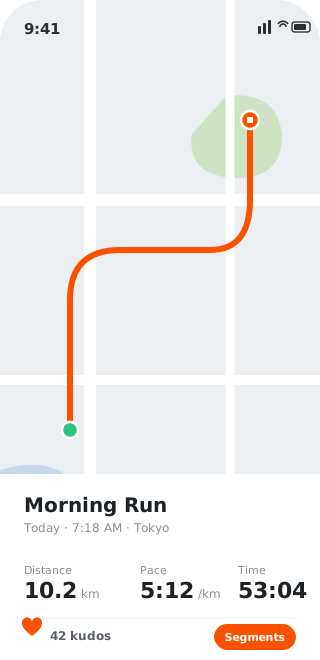
Fitness apps run on social proof: leaderboards, segments, challenge badges, the weekly mileage your friends can see. That’s the fun and the pressure both, and it’s why “faking a run” stays a persistent search. The usual method is a hand-edited GPX file, and it’s exactly the method platforms have gotten good at catching. No live sensor data, geometry that’s too clean, and anomaly models that now scrub obvious fakes off the leaderboards in bulk.
AnyLocate takes a different route, literally. It feeds your device a real GPS signal that moves along a path you script, so you record the activity live, in the app, the normal way. What lands is a genuine track captured in real time, not a file that turned up out of nowhere.
Record live instead of importing a file
The tell in most fake runs is that they never happened in the app; they were stitched together and uploaded. Here you press start and record as you always would, while the device reports moving along your route. The track builds sample by sample from the receiver, so it carries the live, real-time character of an actual session rather than the flat perfection of an edited export.
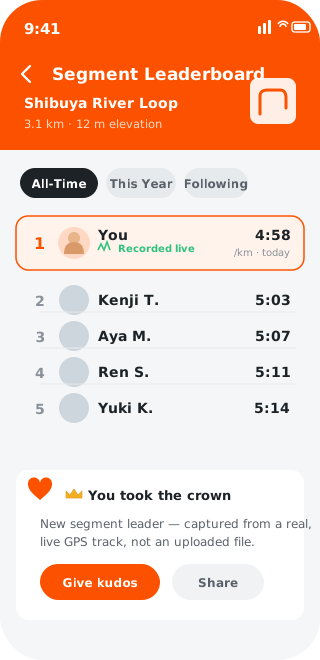
Keep it human and it stays clean
Detection is really anomaly detection: impossible speeds, teleporting between points, splits no body produces. You control the route and the pace, so the discipline is simple. Keep it realistic. A believable tempo, natural pauses and sane elevation read as an ordinary activity, because at the signal level that’s exactly what the app recorded.
Why a live recording beats an edited file
Edited GPX files and mock-location apps both leave fingerprints: absent sensor streams, the isFromMockProvider flag, geometry that’s too tidy. AnyLocate leaves none of them. It works below the app on the real radio signal the device locks onto, so the activity records live from a genuine fix, with no mock flag, no import artefact, and no missing live-data gap. It’s the same track a real outing would produce, at coordinates you chose to run.
Where the signal stops and sensors begin
This drives the device’s GPS position, which is what a fitness app records. It doesn’t fabricate heart-rate or power data you didn’t produce, since those come from other sensors, so a challenge that leans on them is a separate matter. The route, distance and pace, though, are yours to set on a track the app captures for real.