Check in to a geofenced attendance app from anywhere
Clock in to a geofenced attendance app without being on-site. AnyLocate sets your phone's real GPS inside the office zone: no root, no jailbreak, no mock flag.
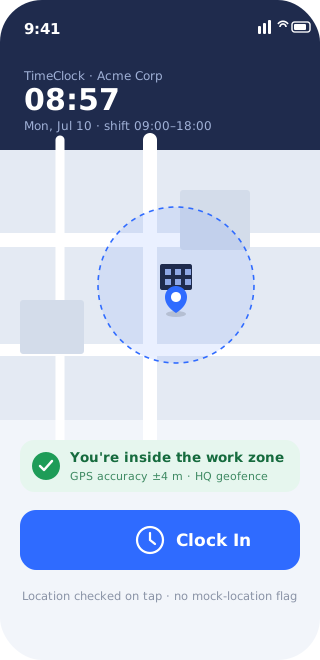
Geofenced attendance has quietly become the norm: clock-in apps and time-clocks that refuse to register you unless the phone’s GPS says you’re standing inside the office. For anyone remote, on flexible hours, or travelling for the same company, that becomes a daily piece of theatre. Commute across town, tap a button, and that’s the whole ritual. The obvious workaround, a fake-GPS app, walks straight into the wall these apps were built for: the mock-location flag they check first, and the “spoofing detected” block that follows.
AnyLocate satisfies the same check in a way the app can’t tell apart from being there. It broadcasts a real GPS signal your phone locks onto, so the position it reports is a genuine fix. Set it inside the office geofence and the check-in behaves exactly like one made from your desk there.
Clock in without the commute
The whole gate is one question: is the device inside the zone? Set your coordinates inside it and the answer is yes. The geofence triggers, the check-in registers, and the day starts without the round trip whose only purpose was to press a button. Remote days, travel days and flexible hours stop failing a location test that was never really about the work.
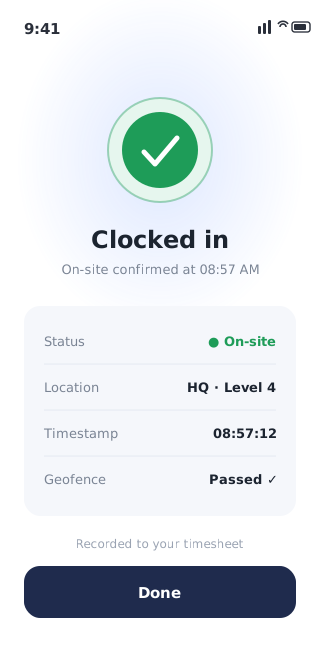
A position that passes the check
This is why it clears the gate that fake-GPS apps trip. Those tools inject a coordinate, Android tags it with the isFromMockProvider flag, and that flag is the first thing an attendance app inspects and grounds for an instant block. AnyLocate never touches that layer. It feeds a real radio signal to the receiver, which computes its own fix, so there’s no mock flag, no jailbreak tweak and no developer-options tell for the app to catch. The geofence sees a real device at a real position that happens to be the one you chose.
The half it doesn’t cover
Be clear-eyed about the boundary. This controls the GPS location half of the check-in. Apps that stack on a selfie, a fingerprint, or a Wi-Fi/beacon check are asking for factors a positioning tool doesn’t provide, and those remain your responsibility. Wherever the gate is the geofence, though, setting the fix inside it opens it cleanly.